What a dirty stylus looks and sounds like
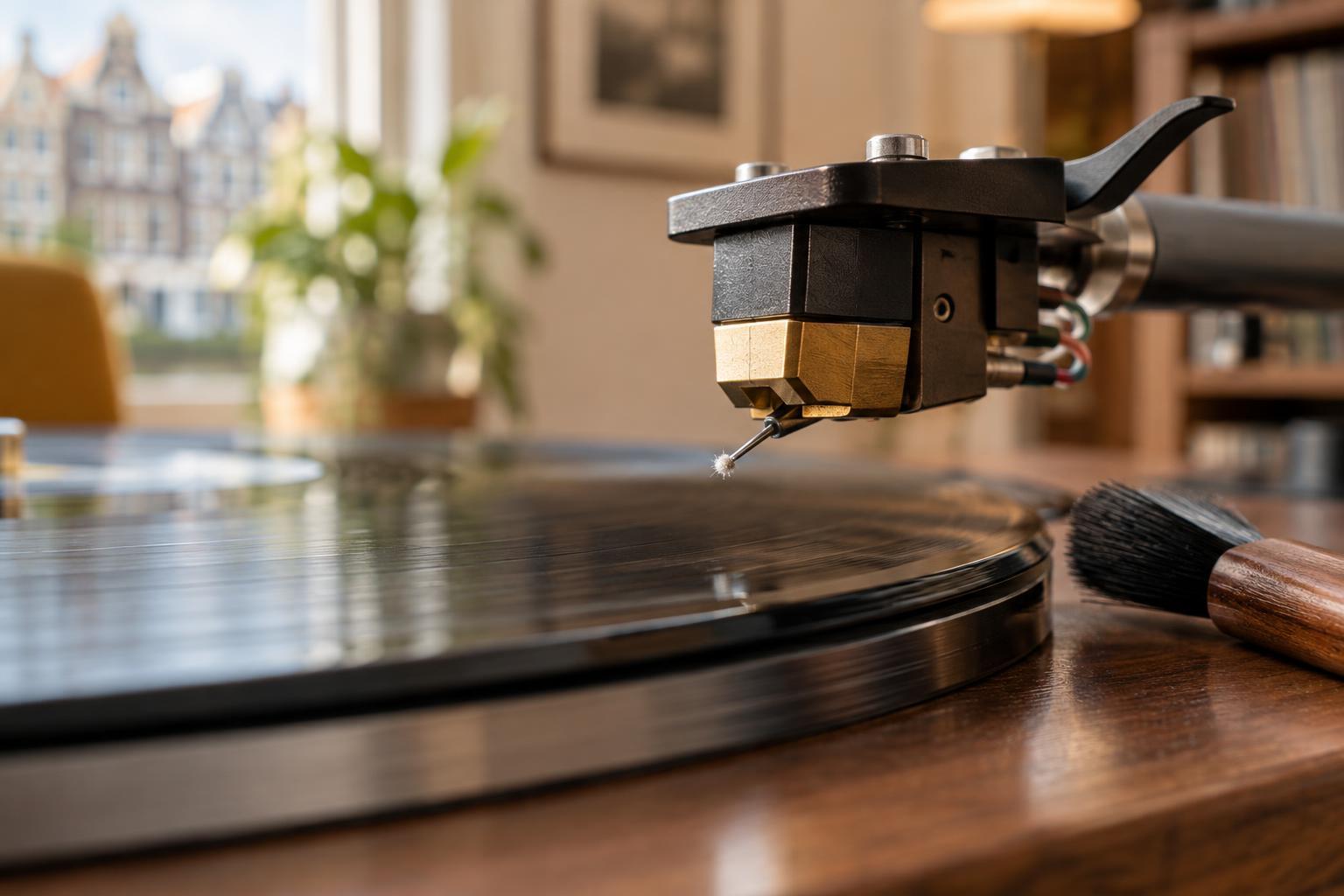
The stylus is the small tip that tracks a record’s groove. As records play, dust and other residue can collect around it. A visible tuft of lint is an obvious sign that it needs attention. A dull-looking deposit near the tip can also be a clue, although a stylus is so small that it can be hard to judge by eye alone.
You might hear a change before you see anything: music may sound less clear, or passages that usually play cleanly may become fuzzy or distorted. These symptoms are not proof of dirt. A dusty or damaged record, incorrect tracking setup, or a worn stylus can cause similar trouble. If the problem happens on only one record, check that record before assuming the stylus is responsible.
Inspect the tip without touching it
Stop playback and turn off the turntable before taking a closer look. Move the tonearm to a stable position where you can see the cartridge without risking a drop onto the platter. A bright light and a small magnifier can help; a phone camera’s magnification may also show a larger clump of lint. Look from an angle that lets you see the tip and cantilever without putting a finger underneath them.
Do not test for dirt by touching the tip. The cantilever—the slender part that holds the stylus—can be damaged by sideways pressure. If you cannot see a deposit, there is no need to keep probing. A cautious cleaning is reasonable when playback has changed, but inspection should remain hands-off.
Use a stylus brush with a light, one-way motion
For routine cleaning, use a soft brush made for styluses. Check the cartridge or stylus maker’s instructions first if you have them, especially if the design has a protective guard. With the turntable off and the tonearm steady, bring the brush gently to the tip. Brush from the rear of the cartridge toward its front—in the direction from the cantilever’s base toward the tip—then lift the brush away. One or two light passes are usually a sensible starting point.
Avoid scrubbing back and forth or brushing across the stylus from side to side. Do not press upward into the suspension. The aim is to lift loose material away, not to polish the tip by force. If a clump remains, pause and inspect it rather than increasing pressure. You can clean the brush as its maker recommends so it does not carry debris back to the stylus.
Be cautious with liquids and improvised tools
A dry stylus brush is a straightforward first choice. Some makers offer cleaning fluids or other tools for particular styluses, but compatibility and instructions vary. Do not apply an unspecified liquid directly to the cartridge: fluid can travel along the cantilever toward sensitive parts. In particular, avoid assuming that household alcohol or record-cleaning fluid is suitable for the stylus.
Fingers, cotton swabs, stiff brushes, compressed air, and abrasive household materials introduce risks that are hard to control around such a small part. Blowing on the tip can add moisture as well as move dust. If dry brushing does not remove a stubborn deposit, consult the stylus maker’s guidance rather than trying a stronger method at random.
Keep the stylus cleaner between sessions
Cleaning records before play helps keep dust from collecting on the stylus. Return records to clean inner sleeves and put the stylus guard on when the cartridge is not in use, if its design includes one. A quick visual check now and then is more useful than following a rigid cleaning schedule: how often a tip gathers lint depends partly on the records and listening environment.
After cleaning, try a familiar, clean record at your usual listening level. If distortion persists across several records, or if the tip or cantilever appears bent or damaged, stop treating dirt as the likely cause. Check the turntable setup and the stylus maker’s replacement guidance. Gentle cleaning can remove debris, but it cannot repair wear or physical damage.